Are you a web designer or techie seller? Unleash your power with new Invotide premium store theme powered by Retrina Page Builder. Now you can create beautiful storefronts for your clients or business and experience effortless design flows. Our premium theme comes with a wide range of features that make it easier to create beautiful shopping website that users will love. It includes an intuitive page builder that is incredibly user-friendly with over 50 modules, allowing even those with no web design experience to easily create stunning websites.
New Page Builder
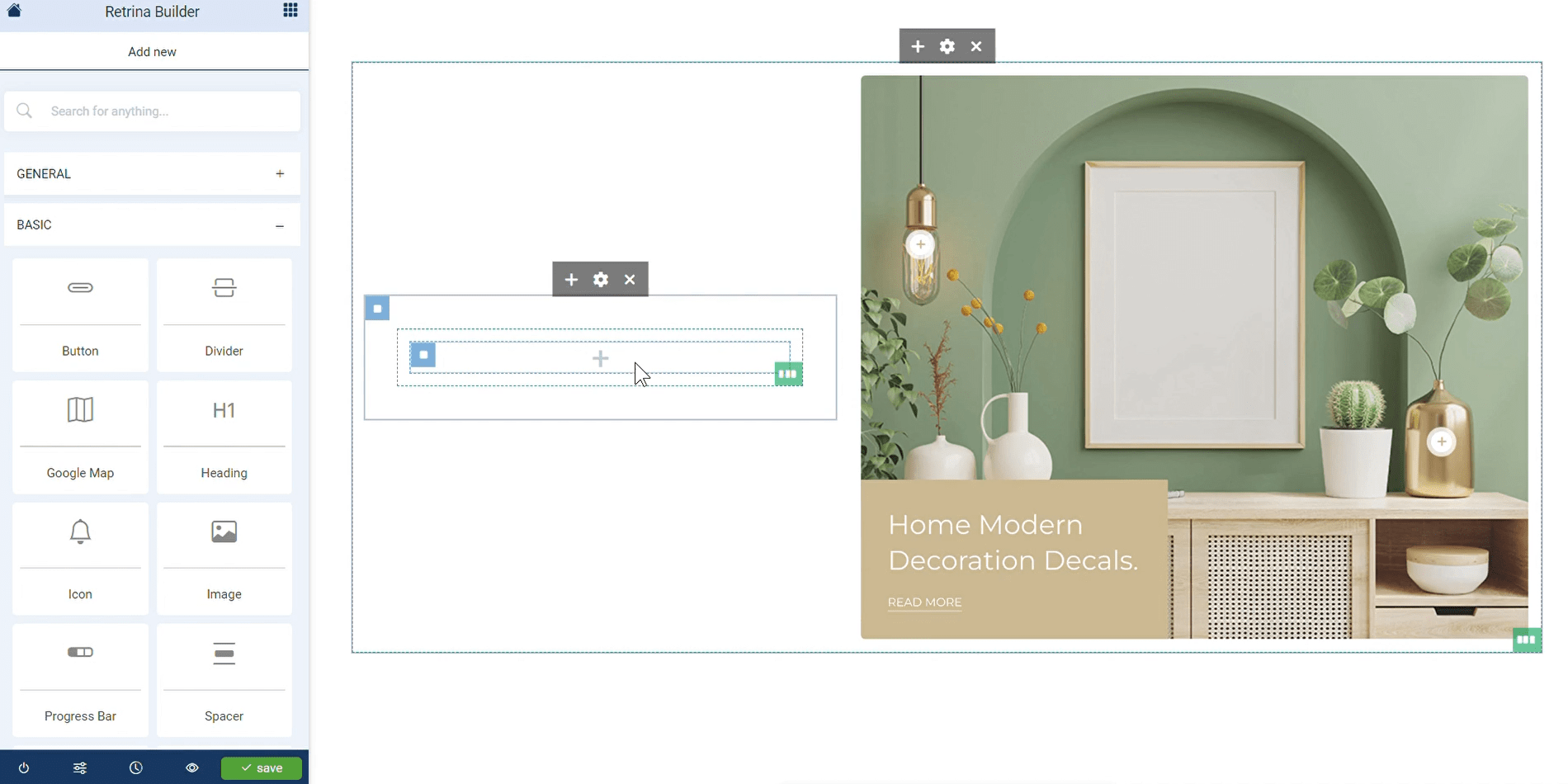
Invotide's premium theme page builder is a powerful tool that allows you to easily create the website of your dreams. Simply drag and drop modules, widgets or elements to customize your website, add your product content to make your design unique.
Demo Templates
Save time with a professionally built shopping website templates. Invotide premium theme comes with pre-built demo websites that can be imported in one click. See link to demo stores created using Invotide Premium Theme below.
Electronic Store - https://electronic.invotide.com/
Furniture Store - https://homedecor.invotide.com/
Multipurpose Store - https://bigshop.invotide.com/
Branded Store - https://brand.invotide.com/
Fast Food Store - https://restaurant.invotide.com/
Services Store - https://lawfirm.invotide.com/
Custom Landing Page - https://brand.invotide.com/index.php?route=information/information&information_id=6
How To Activate Invotide Premium Theme
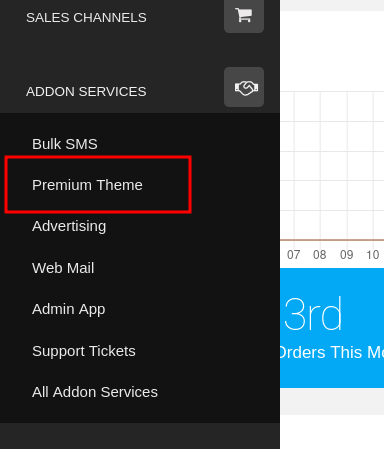
We are currently offering the premium theme free for a limited time, if you own an existing Invotide self-managed store you can activate premium theme for your storefront by logging into your store admin panel and select "Premium Theme" from the main menu as shown below.
We have put together a video guide on how to setup Premium Theme module, click the link below to watch it.
https://clients.invotide.com/knowledgebase.php?action=displayarticle&id=693
We are very happy with our internal testing and use of premium theme designer. We certainly hope that you will find it useful.
Please dive in, explore and let us know what you think!
New Video Guide Added To Knowledgebase
We also added new video guides to the knowledgebase for clients that own active self-managed stores on the Invotide shopping platform. See details below.
How To Setup Advanced Product Option Module - https://clients.invotide.com/knowledgebase.php?action=displayarticle&id=694
How To Setup Gift Card Module - https://clients.invotide.com/knowledgebase.php?action=displayarticle&id=701
How To Setup Auto Gifts Modules - https://clients.invotide.com/knowledgebase.php?action=displayarticle&id=696
How To Use Product Mass Edit Module - https://clients.invotide.com/knowledgebase.php?action=displayarticle&id=578
How To Setup Custom Notifications - https://clients.invotide.com/knowledgebase.php?action=displayarticle&id=697
How To Import And Export Store Data - https://clients.invotide.com/knowledgebase.php?action=displayarticle&id=698
How To Use Invotide Shopping App Manager Module - https://clients.invotide.com/knowledgebase.php?action=displayarticle&id=699
If you experience any issue, feel free to contact us by sending email to support@invotide.com or submit a ticket throught your client account.
Wednesday, March 4, 2026